¶ UI Integration
¶ Overview
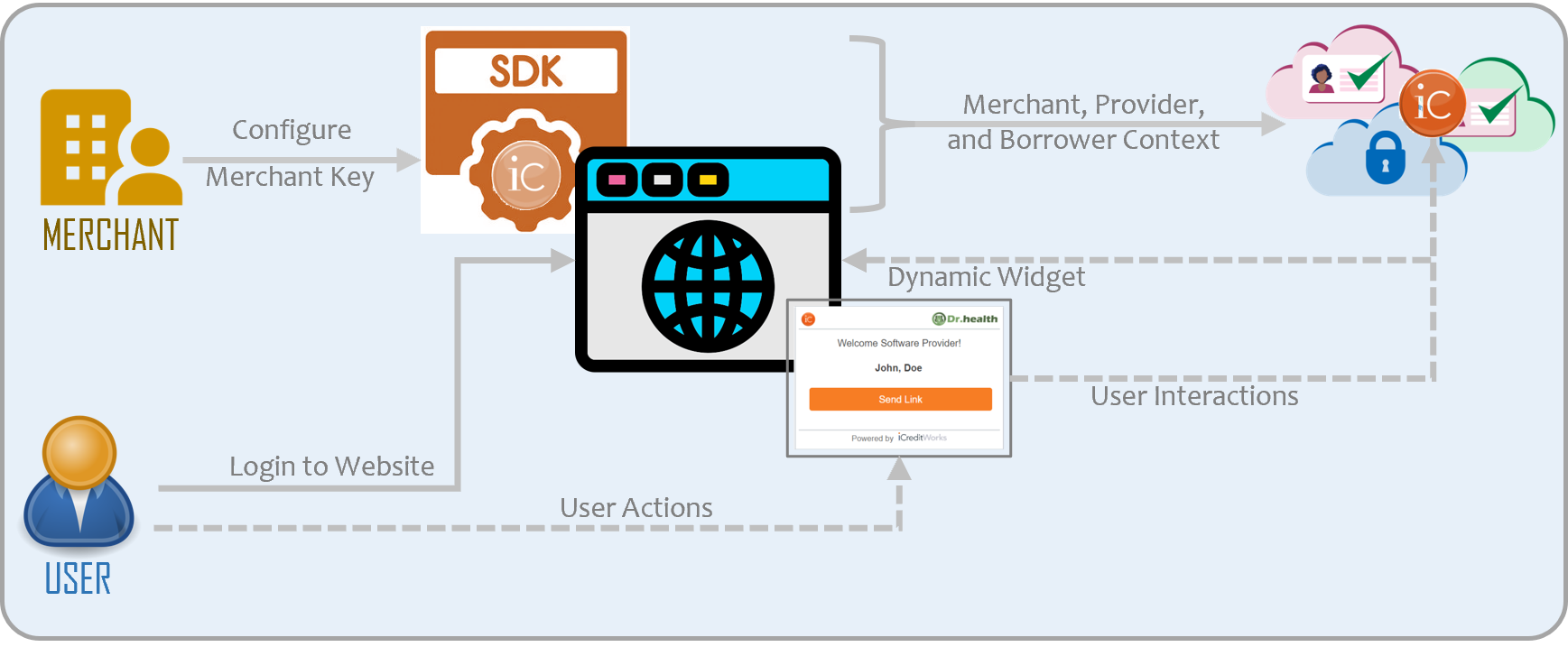
Seamlessly integrate our context-based dynamic UI components / widgets into your website.
¶ Steps
¶ Integration Made Simple!
- Embed ICW SDK in your website.
- Configure SDK with the Merchant Key from Registration
- When user logs in, provide Provider and Borrower Context.
- Render Dynamic UI content from ICW PaaS Platform.
¶ Step-1: Include SDK Script
The ICW Financing Platform can be easily integrated by including the SDK into your website using a script tag by passing the merchant key provided to you at registration – as shown below:
  <script src="{{sdk_url}}">
  </script>
¶ Step-2: Render UI Component
The SDK configuration requires a container/placeholder div tag where the widget is to be rendered and invoke one of the renderXXX methods by passing the container identifier, and data context that includes borrower info.
¶ Render Widget
icw.renderWidget("icwcontainer", {
    login_user: "dr_good",
    officeId: "40cc8dfc-68bf-4042-a9d5-0e44fe7bc969",
    borrower: {
      firstName: "John",
      lastName: "Doe",
      mobile: "2025550165"
    }
¶ Render Specific Form
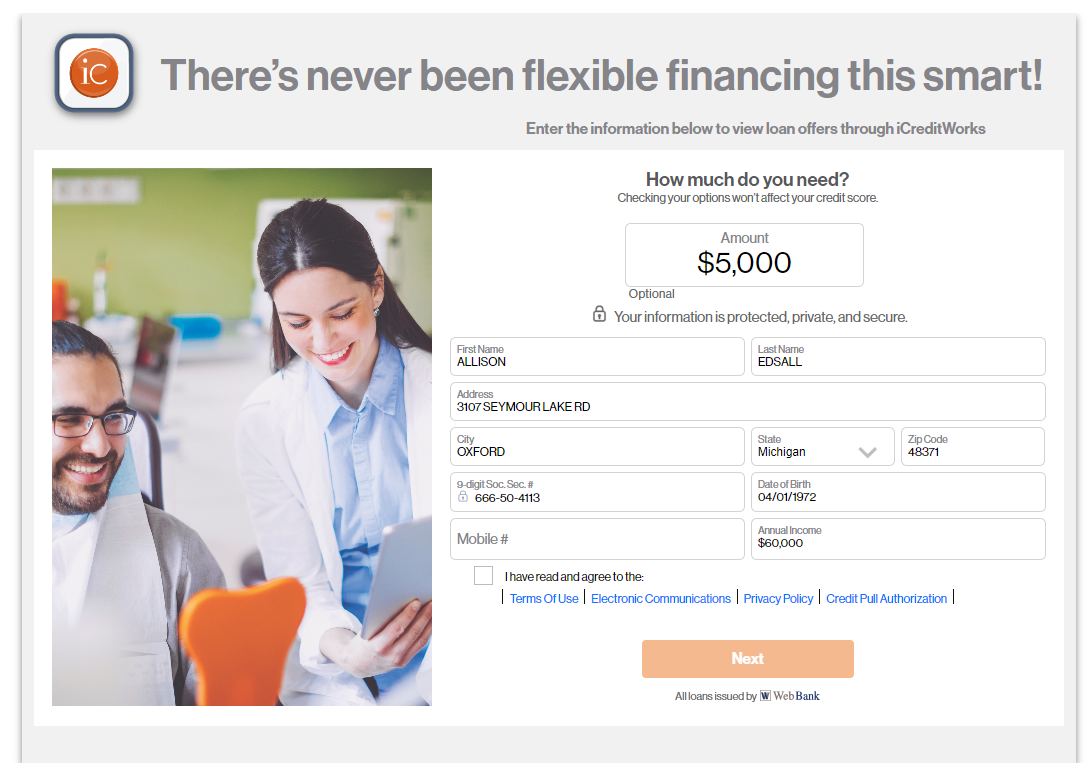
icw.renderPreQualForm("icwcontainer", {
    firstName: "John",
    lastName: "Doe",
    ssn: "999999999",
    address1: "100 mock st,
    city: "OXFORD",
    state: "MI",
    zipCode: "48371",
    dateOfBirth: "01/01/1972",
    annualIncome: 60000.0,
    amount: 5000.0
  });
¶ Step-4: Event Subscription
The SDK events can be subscribed and be used in the websites to improve the user experience.
    icw.currentStatus(
       (value: any) => {
          console.log(value);
       }
    )
Sample Code Snippet
<!DOCTYPE html>
<html lang="en"><head>
    <script src="{{sdk_url}}">
    </script>
    <script>
        	icw.renderWidget("icwcontainer", {
    			login_user: "dr_good",
    			officeId: "2c314083-619f-4d97-ab53-8e0a45ed5ade
",
    			borrower: {
      			firstName: "John",
      			lastName: "Doe",
      			mobile: "2025550165"
    		};
    </script>
</head>
<body>
</body>
</html>
¶ Scenarios
Sample Loan Application Form:
¶ Sample Widgets:
The dynamically generated widgets can be put into three categories:
|
Activation Widget |
|
Send Link Widget |
|
Loan Info Widget |
|
Sample  |
Sample  |
Sample  |
||
|
Activate Providers / Networks |
|
Send the Loan Application Link to the prospective borrower |
|
Access Loan & Payment Information |